Agents (Sidebar)
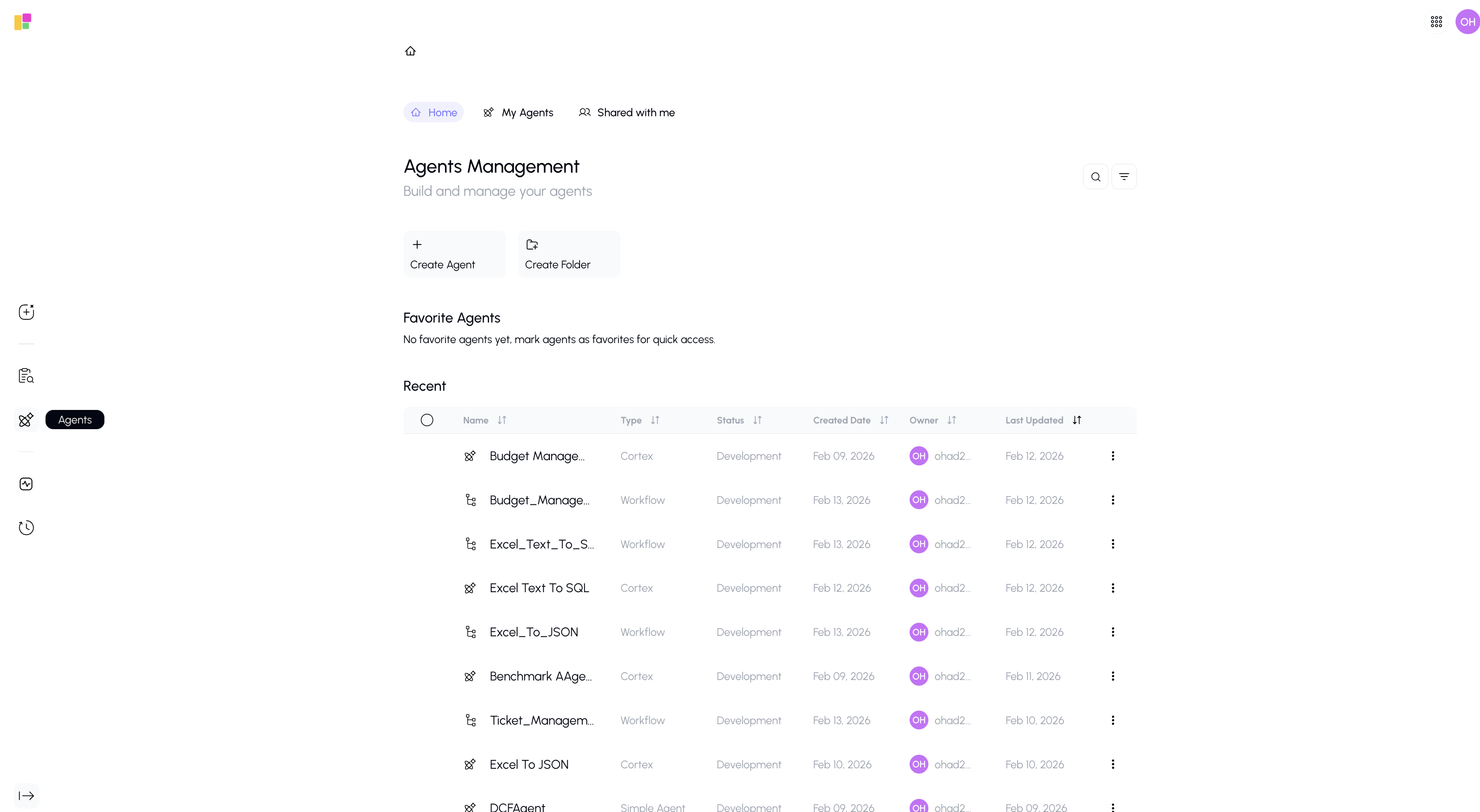
The Agents button in the sidebar takes you to the Agents page — where you can browse, create, and manage AI agents.
What It Does
Clicking the Agents icon in the sidebar navigates you to the full Agents page, where you can:
- Browse all available agents (yours and shared ones)
- Create new agents using Gunnies, Cortex, or Workflow
- Organize agents into folders
- Search and filter through your agent library
- Favorite agents for quick access
- Share agents with team members
Quick Overview of the Agents Page
The Agents page has three main views:
| View | What You'll Find |
|---|---|
| Home | Your favorite agents, recently used agents, and quick actions |
| My Agents | All agents you've created or own |
| Shared with Me | Agents that others have shared with you |
For complete details on everything you can do with agents, see the Agents Overview.