Web Search
The Web Search tool allows the AI to search the internet in real time to find current information. This is especially useful for questions about recent events, up-to-date documentation, product information, or anything that requires fresh data.
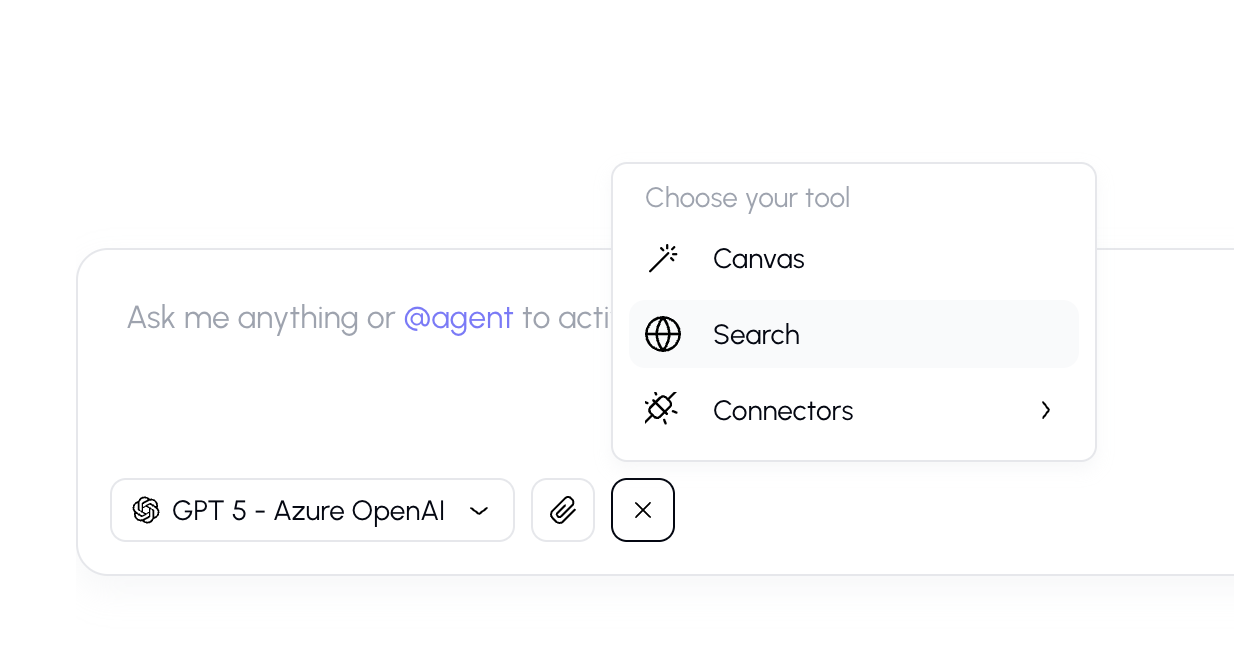
How to Enable Web Search
- Click the "+" button in the input bar to open the tools menu.
- Select "Search the Web" from the list.
- A tool indicator chip will appear near the input bar, showing that web search is active.
- Type your question and send it.
How It Works
When web search is enabled:
- The AI analyzes your question and formulates search queries.
- It searches the internet for relevant pages and articles.
- While searching, you'll see a "Searching..." indicator in the response.
- The AI reads the results and writes a response based on what it found.
- Citations appear in the response linking to the source web pages.
Reading Web Search Results
After the AI responds, you'll see:
Inline Citations
Small numbered chips (e.g., [1], [2]) appear in the text where information from a specific web page was used. Click on a citation to see the source.

When to Use Web Search
Web search is most helpful when you need:
- Current information — news, recent events, latest versions of software
- Factual data — statistics, prices, dates, or public records
- External documentation — product docs, API references, guides
- Verification — checking if something is accurate or up-to-date
Tips
- Be specific in your questions. "What are the new features in React 19?" will give better web results than "Tell me about React."
- The AI automatically decides how many searches to perform based on the complexity of your question.
- Citation links open in a new browser tab so you don't lose your conversation.